 OSBridge
Bridge your devices.
Share
your files.
The fastest, most private way to move files across your entire ecosystem. No cloud storage, no limits, no hassle.
Transfer files in three simple steps.
No complicated setup. Just seamless, instant sharing.
Connect
Open OSBridge on your devices. Discover and connect across any OS instantly.
Select
Choose photos, videos, documents, folders, or any supported file type.
Transfer
Send files directly. The transfer happens instantly over your local network.
Everything you need to move your files.
Transfer your way.
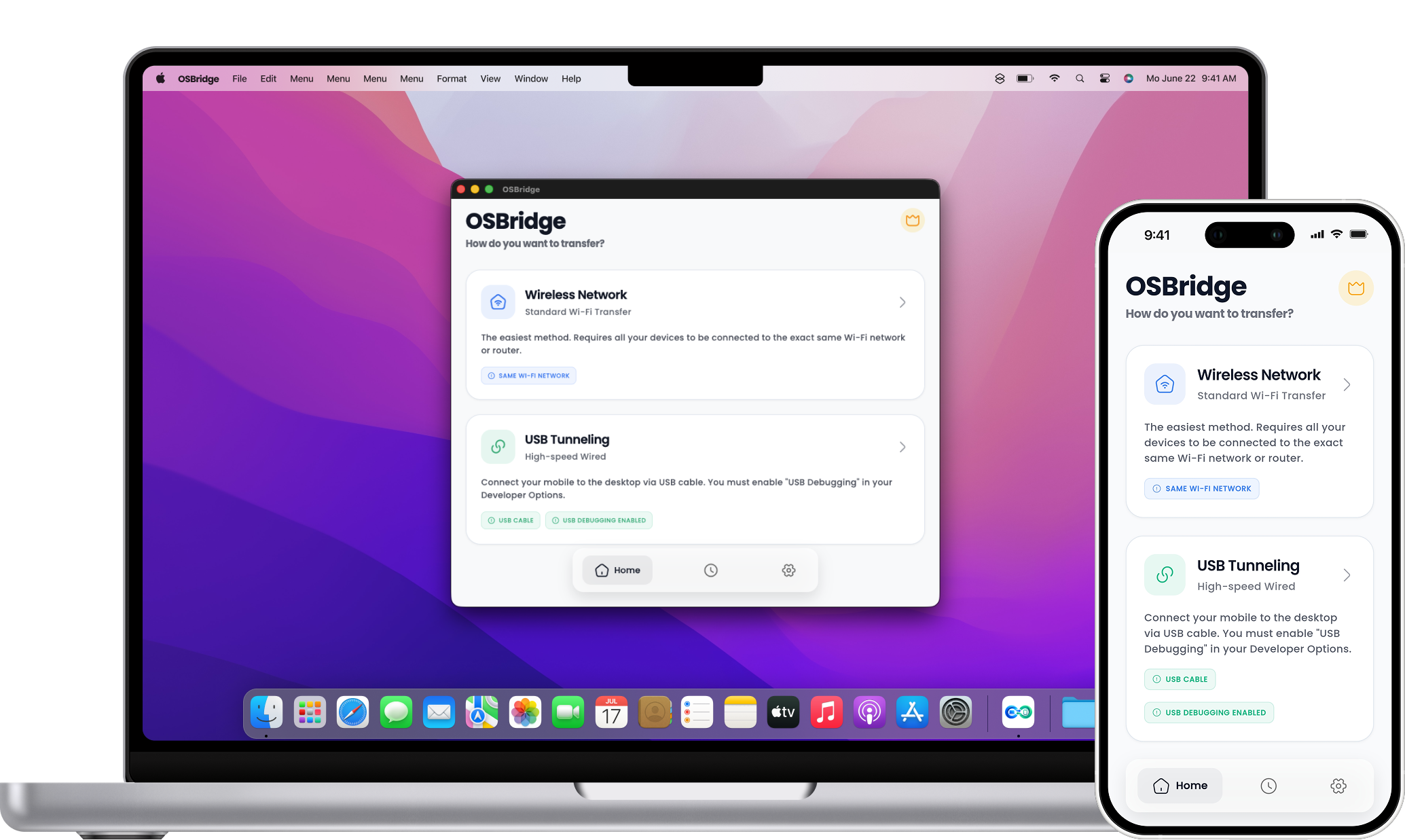
Connect via Wi-Fi for convenience or plug in a USB cable for direct, high-speed wired transfers. You choose what works best for your workflow.
See transfer optionsMove large files without the hassle.
No size limits, no compression. Send your original high-resolution videos and massive archives effortlessly.
Built for simple file sharing.
Automatic device discovery and two-way sharing means you don't need to be an IT expert. Just connect, select, and send securely over your local network.
Discover how it works
Privacy by design.
Local by default.
Your files stay strictly on your network. OSBridge establishes a direct connection between your devices, meaning your personal data never touches our servers or requires a cloud upload just to move across the room.
- Zero cloud storage
- End-to-end encrypted transfer options
- Works completely offline (USB)
Blistering speeds.
No waiting.
Stop emailing files to yourself. OSBridge utilizes the absolute maximum bandwidth of your Wi-Fi router or USB cable to transfer gigabytes in seconds, not hours.
Try it for freeWorks across your devices.
One app to seamlessly share files across all your platforms.
iOS
Android
Windows
macOS
Built for simple file sharing.
We obsessed over the details so you don't have to. Every feature here exists to save you time and make file sharing seamless.
Wireless transfer
Send files instantly over your local Wi-Fi network without hunting for cables.
USB transfer
Plug in for blazing fast, reliable wired transfers when you need max speed.
Cross-platform support
Native support for macOS, Windows, iOS, and Android. Break down ecosystem barriers seamlessly.
Direct local transfer
Files move directly device-to-device. Your data never leaves your network.
Large file support
No size limits or compression. Move massive videos and archives instantly.
Simple device discovery
Automatic pairing means no IP addresses to type. Just select and send.
No cloud storage
Zero internet dependency. Keep sensitive files strictly on your own devices.
Free option available
A generous free tier available so you can start sharing without a subscription.
How OSBridge Compares
See how OSBridge compares with popular file-transfer solutions across connectivity, reliability, platforms, and pricing.
| Feature |
|
LS
LocalSend
|
MD
MacDroid
|
QS
Quick Share
|
|---|---|---|---|---|
| Wireless Transfer |
|
|||
| USB Transfer |
|
Not available | Not available | |
| Two-Way Transfer |
|
|||
| Transfer History |
|
Not available | Limited | |
| Pause & Resume Transfers |
|
Not available | Not available | |
| Resume Interrupted Transfers |
|
Not available | Not available | Not available |
| Multi-Platform Support |
|
Mac & Android | Device-dependent | |
| No Cloud Required |
|
|||
| No Internet Required |
|
|||
| Free Version |
|
|||
| Pro Version |
|
Not available | Not available |
Feature availability may vary by platform, device, app version, or plan. Comparison information should be checked against the latest official product documentation.
Start free. Upgrade when you need more.
Fair pricing for a tool you'll use every single day.
Free
For occasional transfers.
- Unlimited transfers
- Wireless & USB transfer
- Cross-platform transfers
- Transfer history
- Ads may be shown
Pro
For frequent file transfers and power users.
- Unlimited transfers
- No file size limits
- Ad-free experience
- Priority support
- Premium & Future Pro features
- 1-year license
Lifetime
Pay once and use OSBridge for life.
- Everything in Free
- Unlimited transfers
- No file size limits
- Ad-free experience
- Priority support
- All Pro features, now and future
- Lifetime license
- No recurring payments
Frequently asked questions
Quick answers to the questions we get the most.
Can't
find yours? Write to [email protected].
Does OSBridge transfer files between Android and Mac?
Yes. OSBridge is designed to transfer supported files between Android devices and Mac computers natively.
Can I transfer files wirelessly?
Yes, when both devices can communicate over the same supported local network.
Can I transfer files using USB?
Yes, OSBridge supports ultra-fast USB transfers where supported by the application and connected device.
Does OSBridge require an internet connection?
Local transfer does not require cloud storage or an external internet connection. Both devices just must be able to communicate using the selected connection method.
Does OSBridge upload my files?
No. Local transfers are designed to happen strictly peer-to-peer between supported devices, rather than uploading the transferred file to any cloud storage.
Still have a question?
We reply within 24 hours.
Simple file sharing, without the complexity.
OSBridge brings wireless and USB transfers together in one simple experience for supported devices.